Swifto
Features Solutions Pricing Testimonials Press & media FAQ About Data privacy Contact Blog
Log in Demo account
FR EN ع
Field mobility

Mobile management apps: field teams connected, even offline

CRM and order taking, mobile selling, cash register and AI assistant: one mobile app per role, working without a network in the field and syncing in real time as soon as the connection is back.

trusted by 500+ companies | Android & iOS
app.swifto.io/mobile
Field apps
Offline OK
CRM
Seller
POS
Swifto IA
Sync
Real time
Synced
8 orders synced up
Offline
Entry in progress · no network
In brief

What are the mobile apps of Swifto ERP?

Swifto ERP comes with four mobile apps connected to the same database as the back office: Swifto CRM for visits, reminders and order taking, Swifto Seller for van sales, Swifto POS for the cash register, and Swifto AI to query your figures in natural language. The first three work offline.

One mobile app for every field role
CRMSeller POSSwifto IA
The benefit

The field never stops — neither does your ERP

A dead zone, a basement, a warehouse without Wi-Fi: without an offline app, that means a lost order, a forgotten payment or a stock count re-entered from memory. Swifto lets your teams work anywhere and sends everything up, reliably, as soon as the network returns.

Offline-native

Your teams enter orders, payments and stock counts without a network. Everything is kept on the device — no action is ever lost.

Real-time sync

As soon as the connection is back, field data flows up and prices, customers and stock flow down. Zero re-entry, zero duplicates.

One app per role

CRM, Seller, POS and Swifto AI: each role gets the tool suited to its job, on the same database as the office.

The Swifto mobile suite

An app for every field role

Every team has its own constraints and routines. Rather than a generic app, Swifto offers four specialized apps, all connected to the same back-office — and the field apps work even offline.

Swifto CRM

The problem: visits, follow-ups and orders taken at the customer's get lost in notebooks and messages. With Swifto CRM: scheduled visits, tracked follow-ups and on-the-spot customer order taking, with an up-to-date catalog and prices. Benefit: no forgotten appointment, reliable orders with no double entry.

Swifto Seller

The problem: in mobile selling, the truck's stock and the day's sales are impossible to track. With Swifto Seller: selling with on-board stock, synced issue and return notes. Benefit: reliable seller stock and route revenue known in real time.

Swifto POS

The problem: a register cut off from stock and accounting forces manual reconciliations. With Swifto POS: payment collection at the point of sale, cash-register stock count, sales and stock updated automatically. Benefit: accurate registers, consolidated sales, closings with no re-entry.

Swifto AI

The problem: getting a reliable figure — revenue, unpaid invoices, stock — means calling the office or waiting for a report. With Swifto AI: ask your business questions in natural language and get your company's real figures, read-only and according to your ERP rights. Benefit: immediate, reliable answers, wherever you are.

Discover Swifto AI
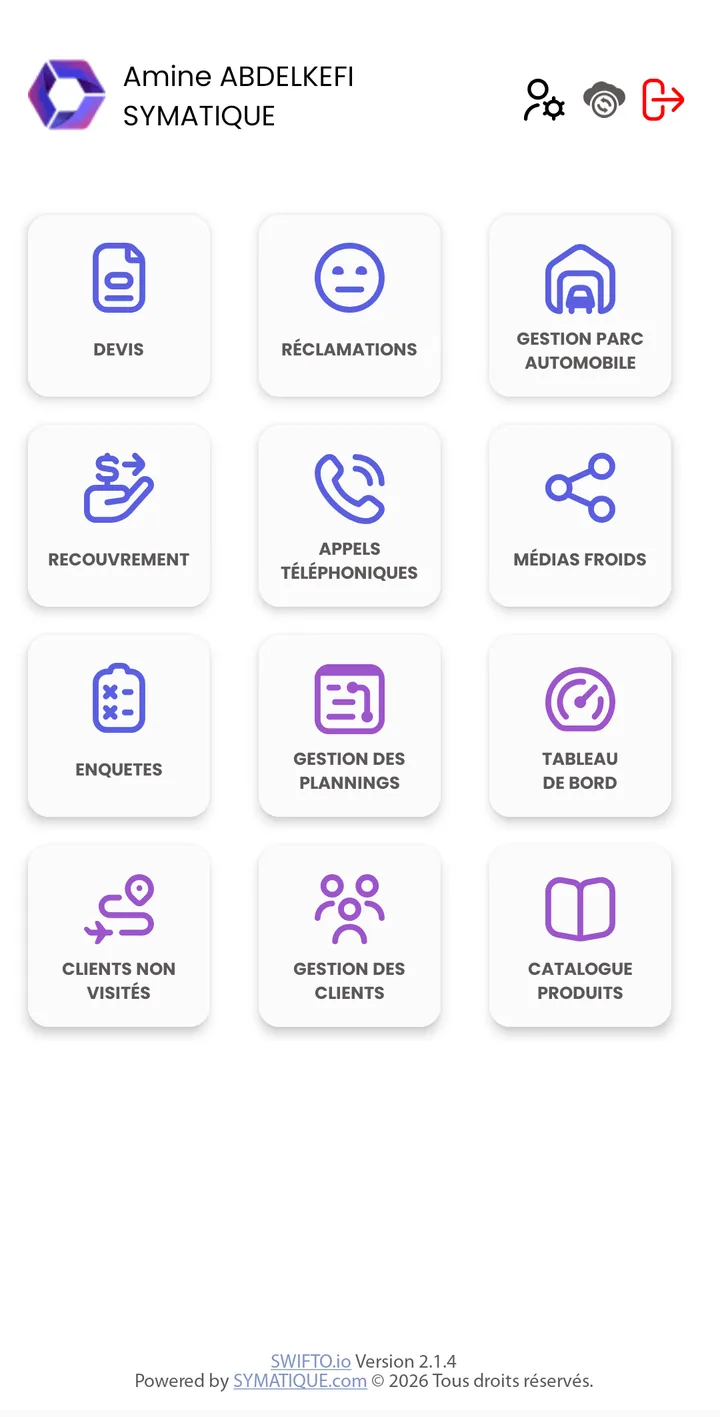
Swifto CRM Mobile main menu
Main menu: 12 functions, from the customer portfolio to the dashboard.
Swifto CRM Mobile

Swifto CRM: the sales rep's customer portfolio, in their pocket

The Android app for sales reps and delegates: on login it downloads customers, items and prices, then works in the field — even without network. Twelve functions from the main menu: customer management, quotes, collection, complaints, phone calls, surveys, schedules, dashboard…

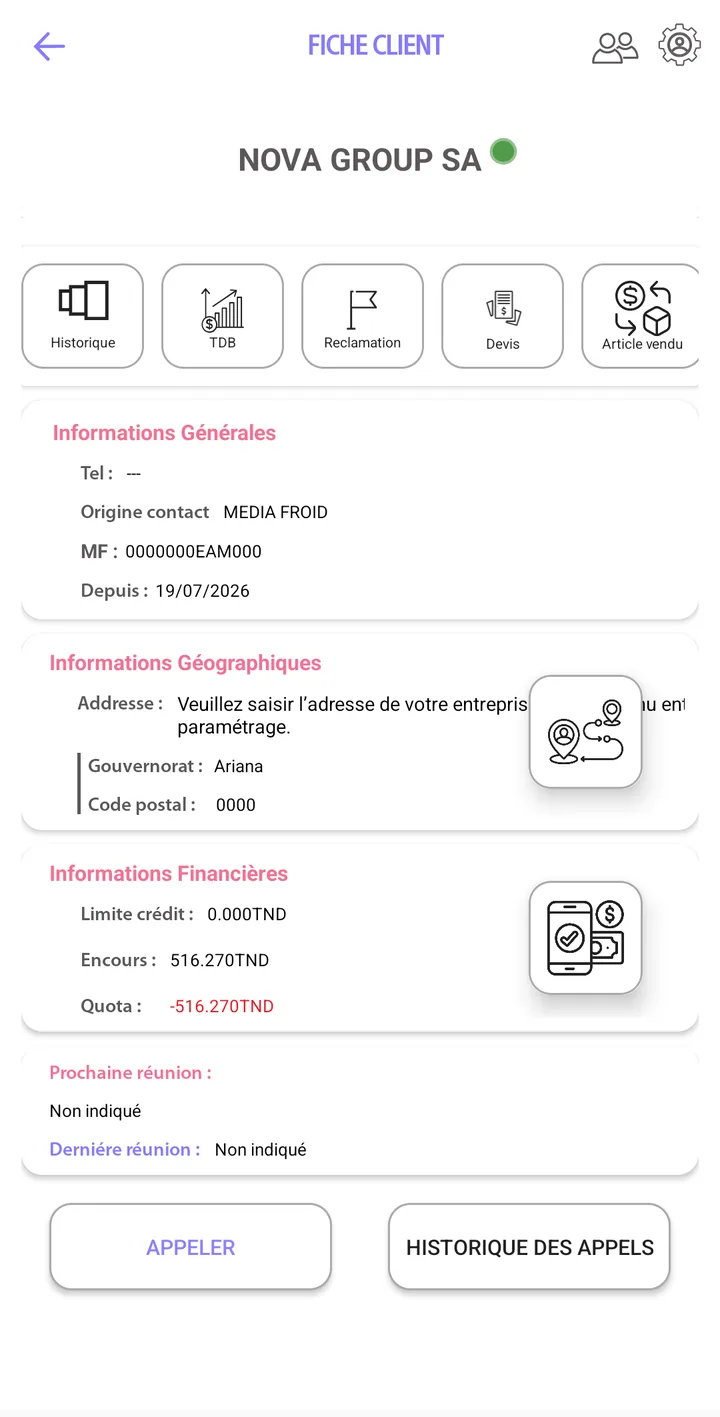
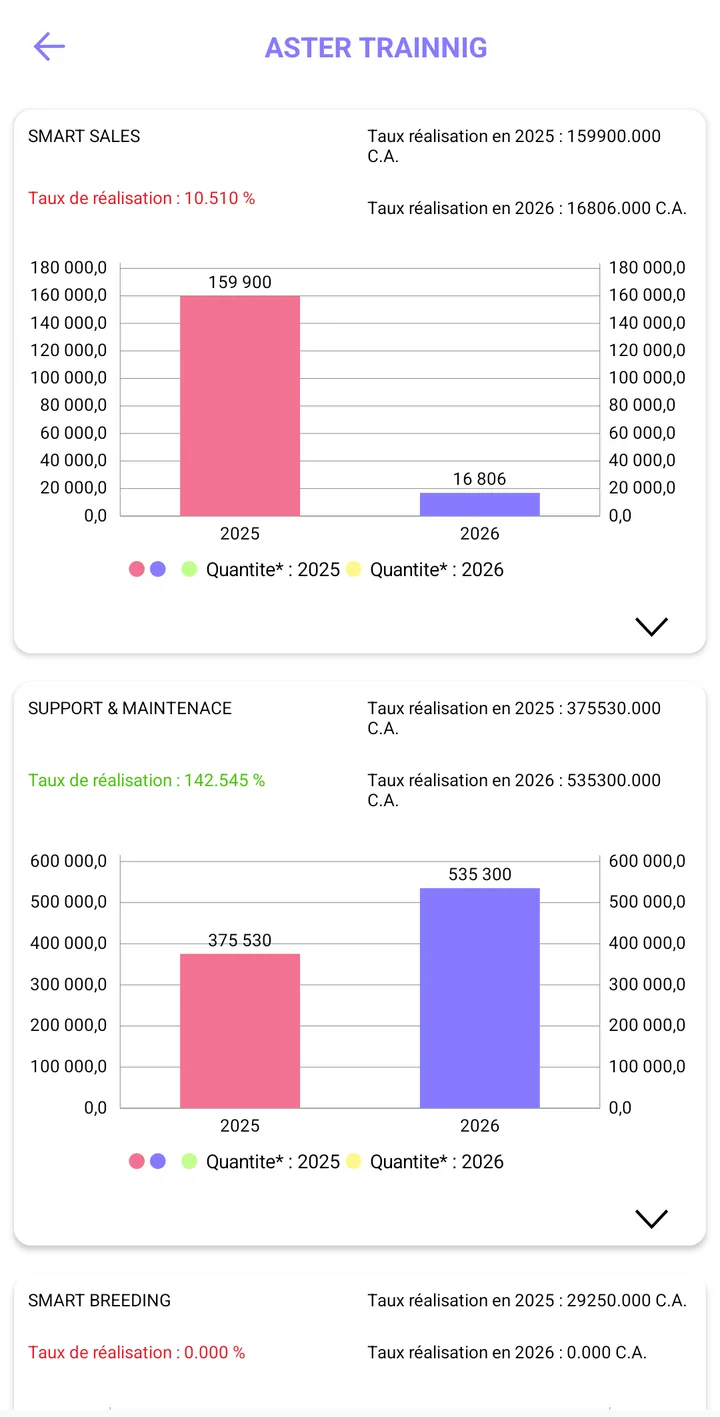
  • 360° customer card — contact details, credit limit, outstanding balance, quota, call history and the customer's dashboard (revenue by family, current year vs previous year).
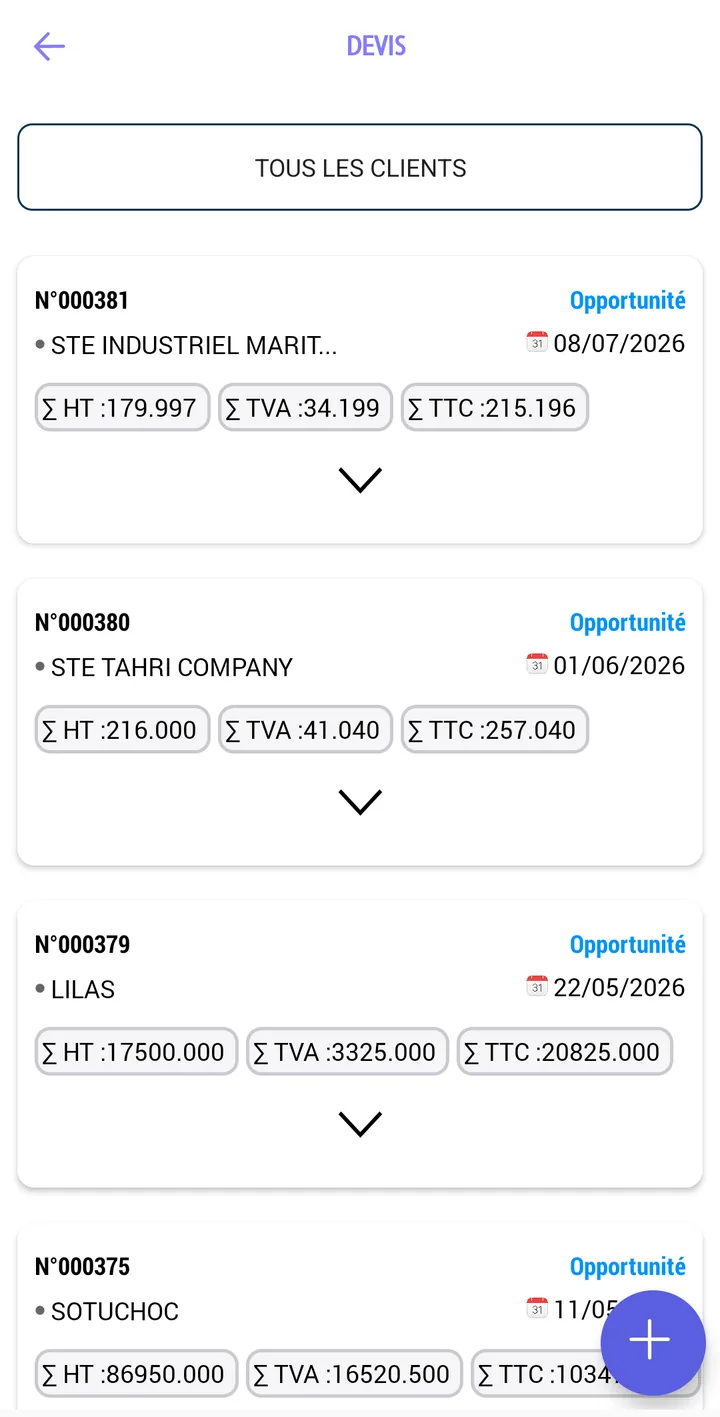
  • Quotes and orders on the spot — up-to-date catalog and customer prices, excl. tax / VAT / incl. tax totals computed, sent to the back-office with no re-entry.
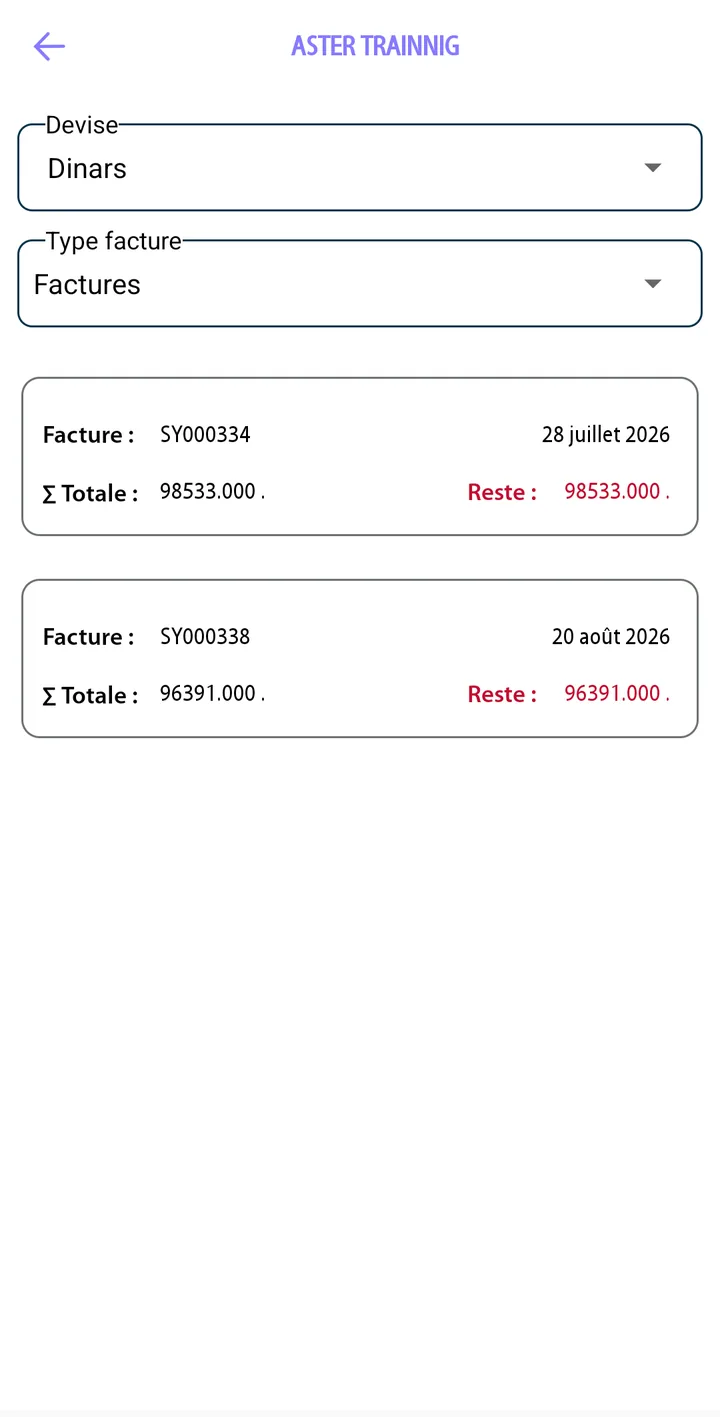
  • Collection — the customer's invoices with total and remaining balance, filtered by currency and type.
  • Surveys and satisfaction — prospecting and satisfaction questionnaires filled in at the customer's, used in the dashboards.
Discover the CRM module

Swifto CRM Mobile in pictures

Eight real screens from the app: login, customer selection, customer card and dashboard, invoices, quotes, surveys and satisfaction questionnaire.
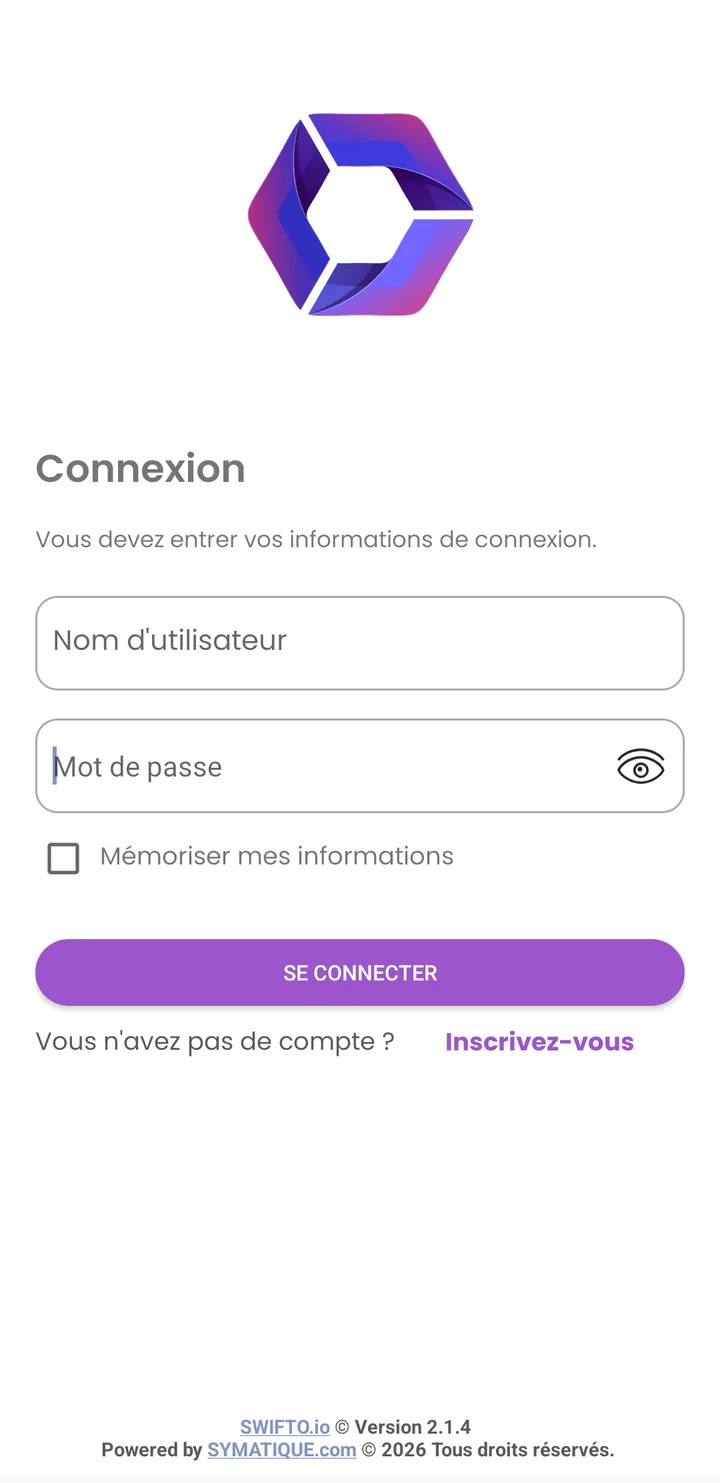
Swifto CRM Mobile login screen
Login: user name + password, “Remember me”.
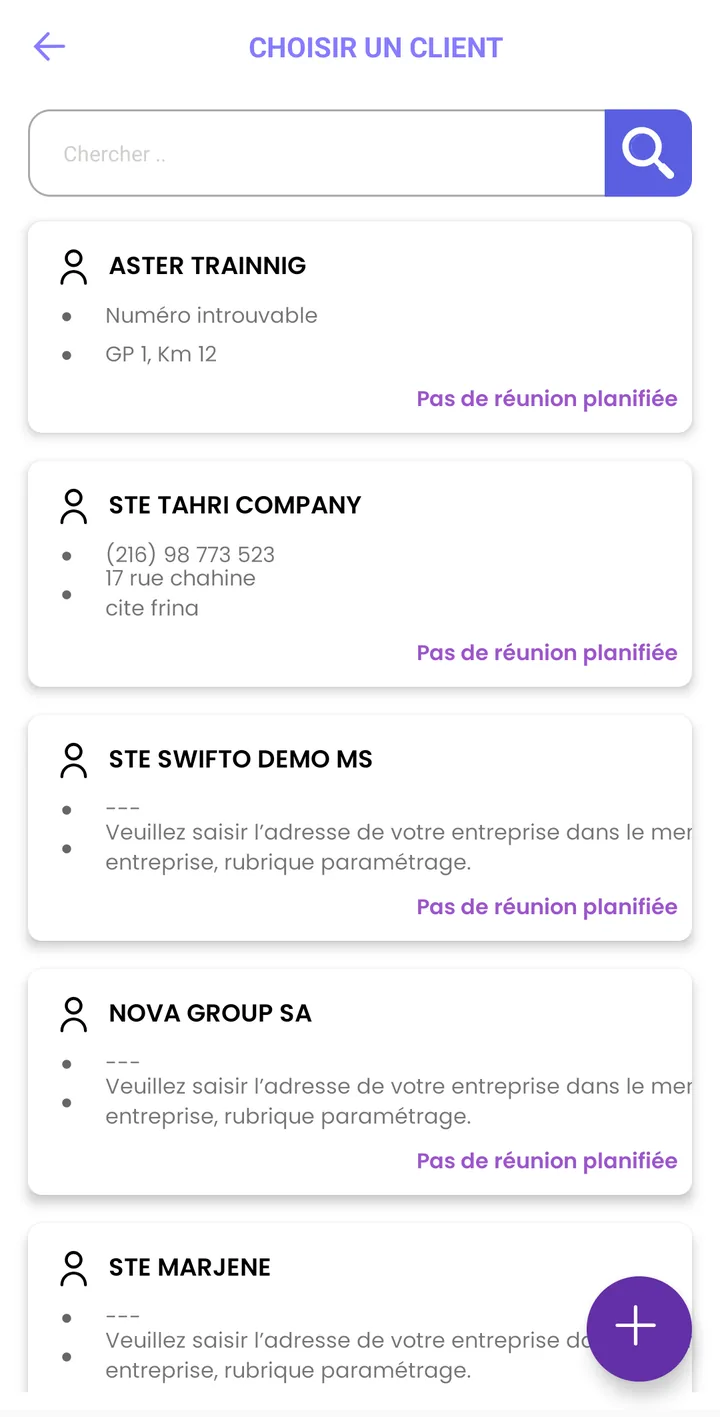
“Choose a customer” screen in Swifto CRM Mobile
Choose a customer: search, contact details, next planned meeting, + button to create a customer.
Customer card in Swifto CRM Mobile
Customer card: general, geographic and financial information (credit limit, outstanding, quota), Call / Call history.
Customer dashboard in Swifto CRM Mobile
Customer dashboard: revenue by family, current year vs previous year, achievement rate.
Customer invoices in Swifto CRM Mobile
Customer invoices: currency / type filter, total and remaining balance per invoice.
Quote list in Swifto CRM Mobile
Quotes: list by customer, status (Opportunity…), excl. tax / VAT / incl. tax totals, + button to create.
Survey list in Swifto CRM Mobile
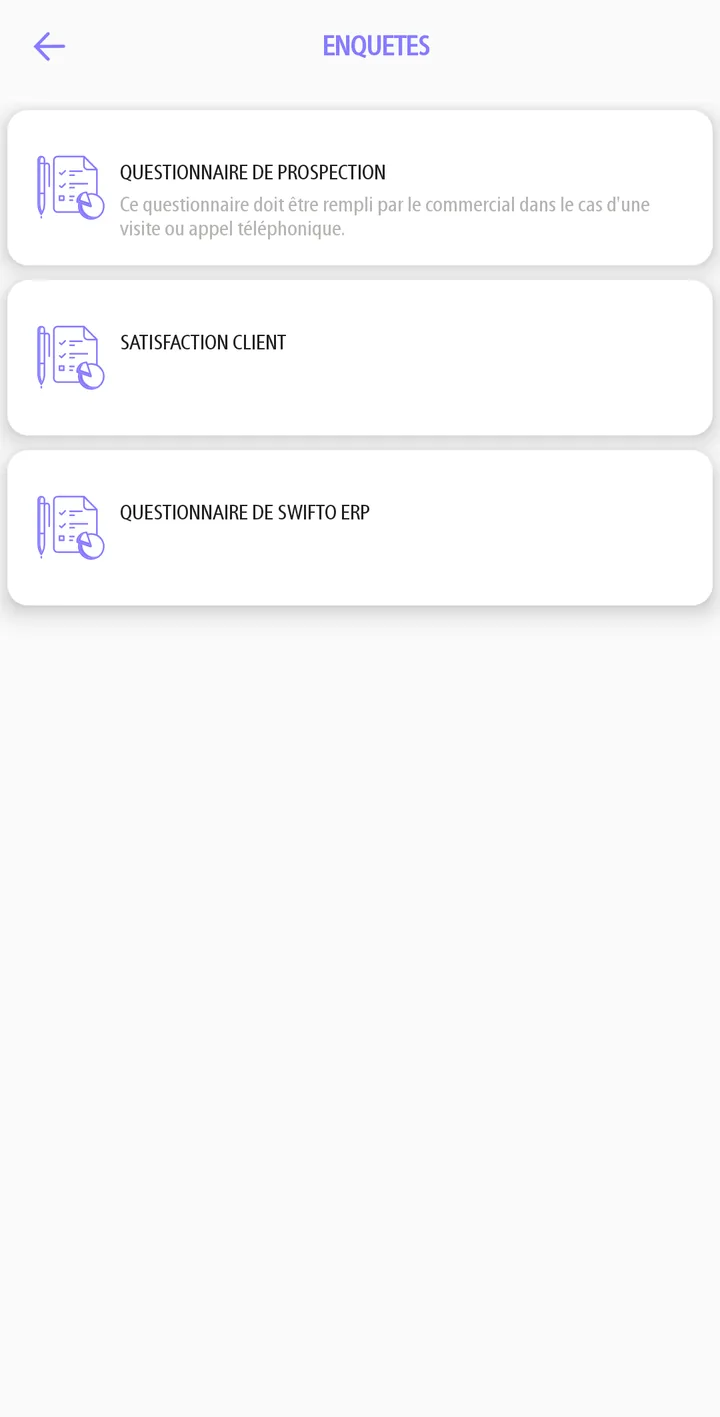
Surveys: available questionnaires (prospecting, customer satisfaction…).
Customer satisfaction questionnaire in Swifto CRM Mobile
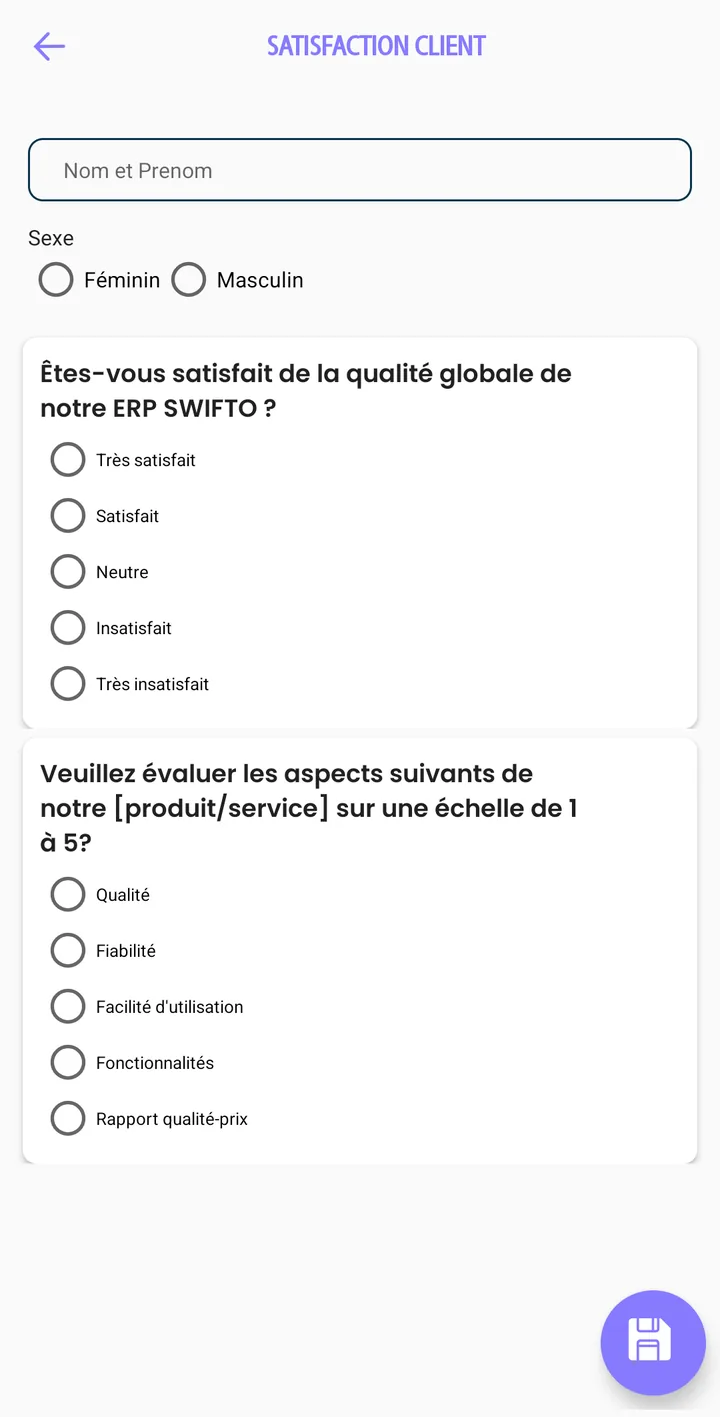
Customer satisfaction questionnaire: respondent identity, gender and multiple-choice questions.
app.swifto.io/mobile/sync
Sync queue
Field actionStatus
CRM Order CMD-0218 Synced
POS Payment 240 TND Synced
Seller Return note BR-0044 Pending
Entered offline Auto resume
Offline & sync

Offline, then synced

A network is never a prerequisite for working. Your teams act wherever they are, and Swifto takes care of sending everything up intact as soon as the connection returns — no intervention, no loss.

  • Work without a network: orders, payments, stock counts and visits entered offline.
  • Automatic resume: synchronization restarts on its own when the connection returns.
  • Zero re-entry: field data lands directly in the back-office.
  • Reliable data at the office: no more lost orders or gaps between the field and head office.
See mobile selling
app.swifto.io/dashboard
Live field feed
Field revenue today
18 640 TND
3 channels
Visits completed
37
/ 42 planned
Sales by channel
POS
Seller
CRM
Real-time steering

From the field to the dashboard, no delay

Every order, payment and visit entered in the field feeds the manager's indicators directly. You decide on real figures, not on end-of-week estimates.

  • Revenue by channel: web, mobile selling (Seller) and point of sale (POS) consolidated.
  • Seller stock: on-board stock levels tracked in real time.
  • Sales activity: visits completed, follow-ups and opportunities from the field.
  • Immediate decisions: react the same day, not the following week.
See the dashboards
Built for the field & management

Efficient teams, clear-sighted management

Sales reps, sellers and cashiers save time and no longer lose anything; the manager, in turn, sees live what is happening in the field. Everyone works on the same reality, offline as well as at the office.

  • Field freed up: no more paper, no more double entry on return.
  • Reliable data: a single database, shared between mobile and back-office.
  • Management visibility: field activity flows up continuously.
+ orders
taken in the field, with no service interruption
Zero
re-entry on return to the office
Reliable
seller stock known in real time
Real time
of visibility into field activity
Who it's for

Designed for the jobs that live in the field

Distribution, sales force, retail and management: Swifto equips every mobile profile and connects it to the rest of your operations.

Distribution & wholesalers

Routes, deliveries and on-board stock managed from mobile with Swifto Seller. Sales, issue and return notes flow up with no re-entry, even from areas without a network.

ERP for distribution

Sales force

Sales reps and field agents track visits, opportunities, follow-ups and customer order taking in the field with Swifto CRM, with catalog and prices always up to date.

Discover the mobile CRM

Retail & points of sale

Swifto POS mobile register connected to stock and accounting: consolidated sales, accurate payment collection, cash-register stock count and closings with no manual reconciliation.

See the POS register

Management & managers

From mobile, ask Swifto AI in natural language about revenue, unpaid invoices or stock: the assistant answers with the company's real figures, read-only and according to each person's rights.

Discover Swifto AI
Frequently asked questions

Mobile apps: your questions

Swifto offers four mobile apps: Swifto CRM for visits, follow-ups and customer order taking, Swifto Seller for mobile selling with on-board stock, Swifto POS for the cash register, point of sale and cash-register stock count, and Swifto AI, the conversational assistant that answers business questions in natural language with the company's real figures. They all share the same data as the back-office.
Yes. Swifto's field apps work entirely offline: your teams take orders, collect payments, enter stock counts and record their visits even without a network. Data is stored locally on the device and synced as soon as the connection returns, with no loss and no re-entry.
Synchronization is automatic and real time: as soon as a device regains a connection, its orders, payment collections, stock movements and visits flow up to the Swifto back-office, and the latest data (customers, prices, stock) flows back down to the mobile. Field information feeds the manager's dashboards directly.
Yes. The Swifto mobile apps are available on Android and iOS, and the back-office is accessible from any web browser. Every team member finds the same database, whatever device they use.
Yes, for the three field apps. Swifto CRM, Swifto Seller and Swifto POS keep the catalogue, customers and required stock locally, let you record orders, sales and payments without a network, then synchronise automatically as soon as the connection returns, with no action from the user.
The field apps are designed for the Android smartphones and tablets used in Tunisia, including entry-level models. The back office itself runs in any recent browser, on a computer or a tablet, with no installation.
Comparisons

Comparing several solutions?

Comparisons built from the publishers' public pages, checked on 7 September 2026: pricing, functional scope, sources cited.

Tunisian ERP comparison

The publishers on the Tunisian market, scope by scope.

Compare

Invoicing software comparison

Seven publishers, sixteen criteria, public prices.

Compare

Equip your field teams today

See in a demo how Swifto CRM, Seller and POS work offline and sync in real time with your back-office — and how Swifto AI answers your business questions with your real figures.